Android / export guide
How to export a WhatsApp chat to PDF on Android
Export one conversation from WhatsApp, keep the resulting files together and make a searchable PDF locally. You do not need to give Threadkeep your phone number or WhatsApp login.
Reviewed · Threadkeep
Step by step
Find Export chat
Open the conversation in WhatsApp. Open its menu and look under More for Export chat. Menu placement can vary, so use WhatsApp's current Help Center if these labels are absent.
Select the media option
Choose whether to include media. A text-only export is useful for a searchable transcript; including media adds the attachments WhatsApp makes available. Keep those choices in mind when you compare the result.
Save the transcript and attachments
Choose a destination in the Android share sheet that preserves the exported files. Confirm they exist in your file manager. Keep an unchanged source copy and do not rename attachments to make them look tidier.
Preview the .txt or .zip
In Threadkeep, choose the saved transcript or supported ZIP. If WhatsApp shared separate attachments, a text-only import does not automatically find them elsewhere on the phone. Use the complete export package when one is available.
Check and download
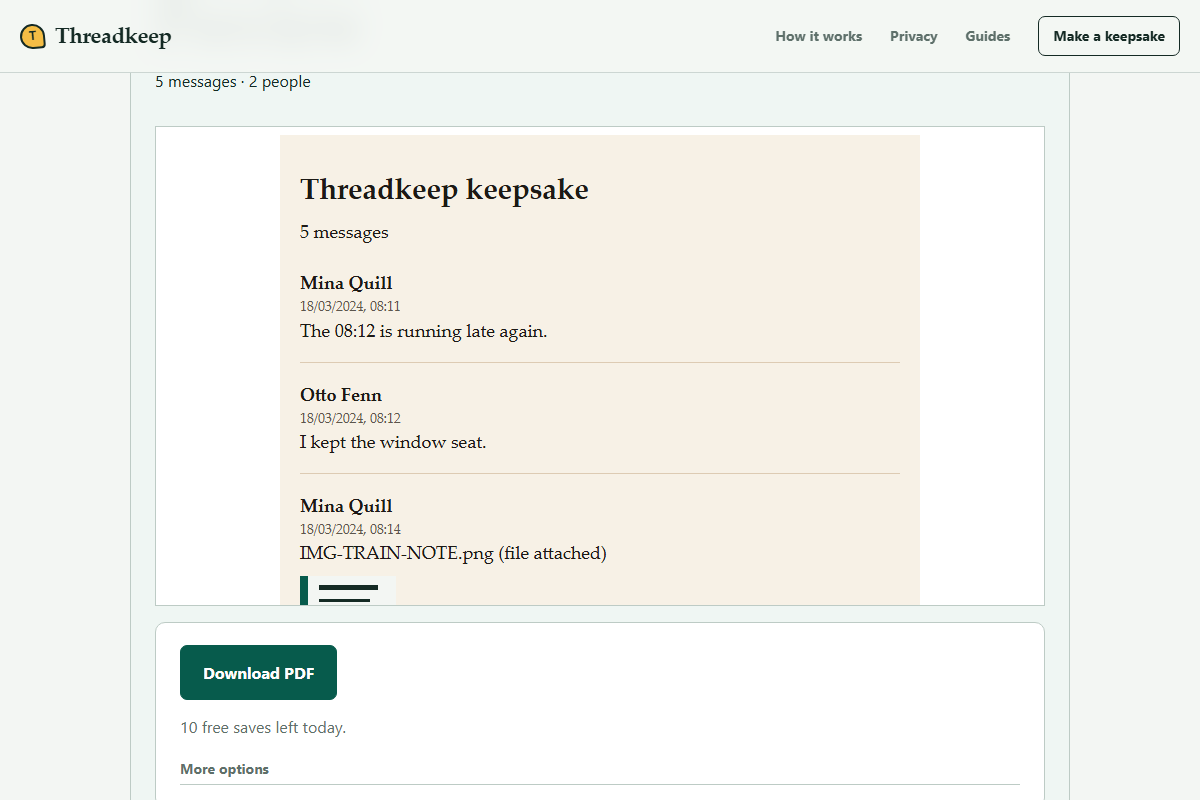
Inspect dates, sender labels and photo warnings before choosing Download PDF. Open the download from your file manager and search for a known phrase. Keep the original alongside the readable copy.
Choose a destination deliberately
Android may offer email, drive apps, file-saving utilities or nearby sharing. Those destinations have different limits and privacy behavior. A mail application may attach only part of a large export, and a drive application may sync it to its server. Local PDF conversion describes the Threadkeep stage, not everything that happened beforehand.
If the saved item is only a link, download the actual file before importing. Check its extension and size in your file manager. A WhatsApp database or phone backup is not the same as the plain-text conversation export supported by this tool.
Text-only and media exports have different jobs
For a conversation you mainly want to search, a text-only export is often simpler to move and inspect. For a keepsake with photographs, use the media option and verify that the export contains the image files. Neither option is a promise of complete history.
Keep the transcript and attachment names as exported. A photo labelled with a different filename can become unmatched even if it is visually the right image. Work with a copy if you need to investigate the package; leave the source untouched so you can compare it later.
Check parsing before formatting
Message order and sender labels matter more than the choice of layout. Compare a few messages against the source transcript. If the original date format is ambiguous, inspect dates carefully rather than assuming the browser interpreted day and month correctly.
The preview can be narrowed by date or participant under More options. Those choices are useful for a personal keepsake, but they create a selected copy. Keep a record of what you excluded if you will compare the document with the full export later.
When the phone cannot finish
A large archive or many photos can strain a mobile browser. Check the documented import and PDF limits before assuming the file is damaged. A text-only copy can help distinguish a media problem from a transcript problem without altering the original.
You can transfer an unchanged source copy to a larger device and choose it there. Do not repeatedly delete messages or media from WhatsApp to make a converter accept an export. Missing records cannot be restored by changing browser, layout or file extension.
Questions
Does Threadkeep read the chats installed on my phone?
No. It reads only a file you explicitly choose. It does not connect to WhatsApp, request a login or pull conversations from the app's storage.
Why did selecting the transcript not include the photos?
A .txt file holds message text and attachment references, not the image bytes. The matching files must be present in the chosen export package. Threadkeep cannot browse unrelated phone folders automatically.